
Machine Links
Connections decide whether an object can become part of a mechanical chain, logic chain, or object relationship.
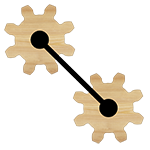
Object Game Settings
Connection Settings control how the selected object can connect to joints, chips, and other machine systems.
What it controls
Use this page as the detailed reference for the Connection Settings group inside the Object Game Settings menu.
Connections decide whether an object can become part of a mechanical chain, logic chain, or object relationship.
Objects can allow or block distance and weld joint connections, which affects how players assemble machines.
Chip workflows use source objects, destination objects, input sources, and output targets to connect logic across the level.
Several systems store references to other preview objects, such as guns choosing bullet objects or follow objects choosing targets.
How it works
These points describe what the system does after the level starts and the editor data becomes live gameplay behavior.
Joint connections constrain movement and can transfer force, rotation, and position between bodies.
Chip and trigger connections send values or events without physically joining the objects.
If a referenced object is removed or disabled, the connected system needs a valid fallback or the behavior will not run.
Allowing too many connection types can make a level easier than intended, while blocking needed connections can make it unsolvable.
Setup flow
Use this checklist while building or debugging a level that uses Connection Settings.
Enable distance or weld connections only when they are part of the intended solution space.
Named objects are easier to find when building chip, trigger, follow, gun, or clone relationships.
For chip connections, confirm which object is the source and which object receives the output.
Remove and re-add connected objects during editing to make sure the level remains understandable.
Connected systems
Most Ancient Machines behavior comes from combining several settings groups together.
Chip settings make an object process values and events, then send the result to other objects or systems.

Trigger Zone settings turn an object into an event area or event controller that can start other gameplay changes.
Gun And Bullet Settings let any configured physics object fire another preview object as a projectile.