What It Opens
Opens or exposes direction and force behavior for the selected field.
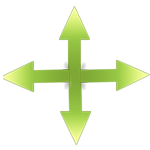
Selected object toolbar
Force-field objects expose direction controls so the field can push, pull, or apply custom directional behavior to bodies inside it.
When it appears
Appears when the selected object is configured as a force field or custom force-field object.
Opens or exposes direction and force behavior for the selected field.
Force-field objects expose direction controls so the field can push, pull, or apply custom directional behavior to bodies inside it.
What each control does
These are the practical controls, values, and toggles connected to this toolbar entry.
Chooses the direction in which the force field applies force.
Controls whether bodies are pushed away, pulled, or moved through a custom force direction.
Sets how strongly affected bodies are accelerated by the field.
Multiplies the base force strength for fine tuning.
Uses a custom vector instead of only up, down, left, or right.
Applies rotational force where the selected force-field type supports it.
The field only matters where bodies enter its configured shape and position.
Filter settings can decide which objects are affected or ignored by the field.
How to use it
Use this flow while building or debugging a level that depends on this control.
Open force direction controls and choose the intended behavior.
Test with the actual mass and speed of affected objects.
Avoid broad force fields when the level needs precise behavior.
Connected controls
The selected-object toolbar is contextual, so this control usually works together with nearby controls and game systems.